

A DVR (Digital Video Recorder) is a hardware device that records video from analog CCTV cameras over coaxial cable directly to an internal hard drive. DVR systems remain popular for budget home security in 2026, with 8-channel kits starting at $200 including 4 BNC cameras and pre-terminated coax.
Whether you want to record your favorite TV shows, set up a home security system, or manage surveillance footage for a business, understanding how a DVR recorder works will help you choose the right device for your needs. This guide covers everything from basic functionality to advanced features, types of DVR recorders, and tips for selecting the best model.
How Does a DVR Recorder Work?
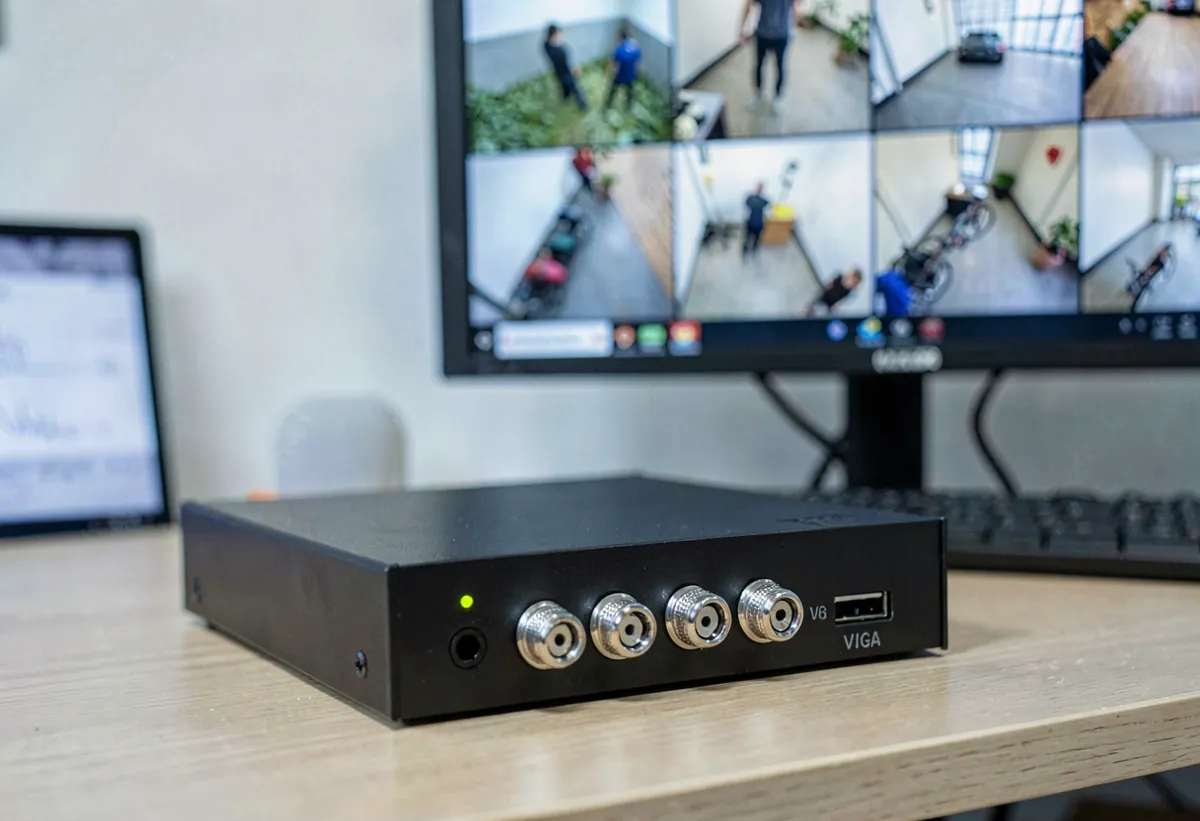
A DVR recorder works by converting incoming analog or digital video signals into a compressed digital format and writing that data to an internal storage drive. The process involves several key components working together seamlessly:
- Signal Reception. The DVR recorder receives video input from an antenna, cable box, satellite receiver, or security camera through coaxial, HDMI, or BNC connections.
- Encoding and Compression. A built-in encoder converts the raw video signal into a compressed digital format using codecs like H.264 or H.265 (HEVC), reducing file sizes while maintaining quality.
- Storage. The compressed video data is written to an internal hard disk drive (HDD) or, in some modern units, a solid-state drive (SSD). Storage capacity typically ranges from 500 GB to 16 TB.
- Playback and Control. Users can pause, rewind, fast-forward, or skip through recorded content using a remote control, on-screen interface, or companion app.
- Scheduling and Automation. Most DVR recorders include an Electronic Program Guide (EPG) or motion detection triggers that allow automatic recording based on schedules, channels, or events.
Types of DVR Recorders

DVR recorders come in several forms, each designed for different use cases. Understanding the types will help you find the right fit.
1. Standalone DVR Recorder
A standalone DVR recorder is an independent device that connects directly to your TV or monitor. Popular examples include TiVo and similar set-top boxes. These units typically feature built-in tuners, large hard drives, and user-friendly interfaces with program guide integration. They are ideal for cord-cutters who use an OTA antenna and want to record free over-the-air broadcasts.
2. Cable or Satellite Provider DVR
Many cable and satellite TV providers offer their own DVR recorder as part of a set-top box package. These devices are leased to subscribers and often include cloud DVR storage as a premium feature. While convenient, provider DVRs usually require a monthly rental fee and may have limitations on storage capacity or the number of simultaneous recordings.
3. PC-Based DVR Recorder
A PC-based DVR recorder uses a computer equipped with a TV tuner card and DVR software to record television content. This approach offers maximum flexibility. You can customize storage capacity, install third-party software like Plex DVR or Windows Media Center, and even set up remote access. It is a popular choice among tech enthusiasts who want full control over their recording setup.
4. Security DVR Recorder (CCTV DVR)
A security DVR recorder is specifically designed to record footage from analog CCTV cameras. These DVR security camera systems use BNC connections, support multiple camera channels (4, 8, 16, or 32), and offer features like motion detection recording, remote viewing via mobile apps, and continuous 24/7 recording. They are the backbone of traditional surveillance installations in homes, offices, and retail environments.
DVR Recorder vs PVR vs NVR: What Is the Difference?
The terms DVR, PVR, and NVR are often used interchangeably, but they refer to distinct devices. Here is a quick comparison to clarify the differences between these recording technologies:
| Feature | DVR Recorder | PVR | NVR |
|---|---|---|---|
| Primary Use | TV recording & CCTV | TV recording | IP camera surveillance |
| Camera Type | Analog (coaxial) | N/A (TV tuner) | IP cameras (Ethernet) |
| Video Processing | At the recorder | At the recorder | At the camera |
| Connection | Coaxial / HDMI | Antenna / Cable | Ethernet / Wi-Fi |
| Resolution | Up to 4K (newer models) | Up to 4K | Up to 4K+ |
| Remote Access | Limited (app-based) | Yes (app/web) | Full (web/app) |
| Scalability | Limited by channels | Single device | Highly scalable |
Key Features to Look for in a DVR Recorder
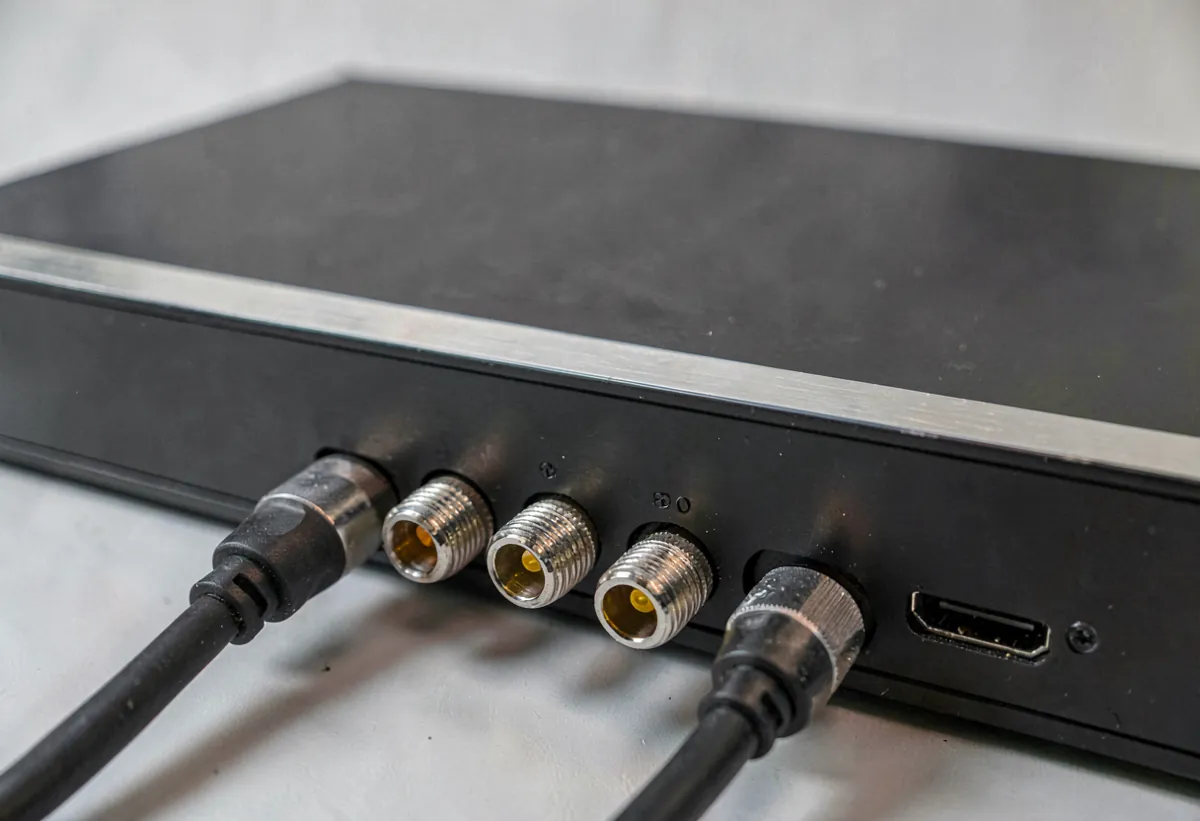
When shopping for a DVR recorder, consider these essential features to ensure you get the best value and performance:
- Storage Capacity. Look for at least 1 TB for TV recording or 2 TB+ for security applications. Some models support external hard drive expansion.
- Number of Tuners or Channels. More tuners mean more simultaneous recordings. For TV DVRs, 2-4 tuners are standard. For security, 8-16 channels cover most homes.
- Video Resolution. Choose a DVR recorder that supports at least 1080p Full HD. Many newer models now support 4K Ultra HD recording.
- Compression Format. H.265 (HEVC) offers roughly 50% better compression than H.264, meaning you can store more footage in less space.
- Remote Viewing. A companion mobile app or web portal lets you watch recordings and manage schedules from anywhere.
- Motion Detection. Essential for security DVRs. Advanced models offer smart detection that can distinguish between people, vehicles, and animals.
- Automatic Recording. Season passes, series recording, and keyword-based scheduling save you from manually programming each recording.
- Playback Speed Controls. Commercial skip, slow motion, and frame-by-frame playback enhance the viewing experience.
How to Choose the Right DVR Recorder
Selecting the best DVR recorder depends on your specific use case. Follow these steps to narrow down your options:
- Define Your Purpose. Are you recording TV programs, monitoring security cameras, or both? TV DVRs and security DVRs have very different feature sets.
- Calculate Storage Needs. One hour of HD TV recording uses approximately 3-6 GB. A 16-channel security DVR recording 24/7 at 1080p may need 4-8 TB of storage.
- Check Compatibility. Ensure the DVR recorder works with your existing equipment. Antenna type, camera connections, TV inputs, and network setup.
- Compare Subscription Costs. Some DVR recorders require ongoing subscriptions for program guides or cloud storage. Factor these into the total cost of ownership.
- Read Reviews and Ratings. Look for reliability ratings, user reviews on ease of setup, software quality, and customer support responsiveness.
Setting Up Your DVR Recorder
Setting up a DVR recorder is straightforward with these basic steps:
- Connect the Video Source. Attach your antenna, cable line, or security cameras to the DVR recorder using the appropriate cables.
- Connect to Your Display. Use an HDMI cable to connect the DVR recorder to your TV or monitor.
- Connect to Your Network. Plug in an Ethernet cable or configure Wi-Fi for remote access, firmware updates, and program guide downloads.
- Power On and Run Initial Setup. Follow the on-screen wizard to configure language, time zone, channel scanning, and network settings.
- Configure Recording Preferences. Set up recording schedules, quality settings, and storage management rules (such as auto-delete oldest recordings when the drive is full).
- Install the Mobile App. Download the manufacturer’s app to control your DVR recorder remotely and receive notifications.
A Brief History of the DVR Recorder
The DVR recorder has its roots in the late 1990s when two companies. TiVo and ReplayTV. Independently developed the first consumer digital video recording devices. Launched in 1999, these early DVR recorders revolutionized television viewing by introducing time-shifting: the ability to pause, rewind, and record live TV. Before DVRs, viewers relied on VCRs and analog tape, which required manual programming and offered far inferior quality.
Over the following decades, DVR technology evolved rapidly. Cable and satellite providers began integrating DVR recorders into their set-top boxes, while security applications adopted DVR technology to replace outdated VCR-based CCTV systems. Today, modern DVR recorders feature 4K resolution, AI-powered smart recording, cloud storage, and seamless integration with streaming platforms.
The Future of DVR Recorders
The DVR recorder continues to evolve alongside advances in technology. Key trends shaping the future include:
- Cloud-Based DVR. More providers are moving storage to the cloud, eliminating hardware limitations and enabling access from any device.
- AI and Machine Learning. Intelligent content recommendations, automatic commercial skipping, and smart security alerts powered by AI are becoming standard.
- Integration with Smart Home Systems. DVR recorders are increasingly compatible with voice assistants like Alexa and Google Assistant, as well as smart home automation platforms.
- Higher Resolution Support. As 8K content becomes available, DVR recorders will adapt with more powerful encoders and larger storage options.
- Hybrid DVR/NVR Systems. Hybrid systems that support both analog and IP cameras are bridging the gap between traditional DVR and modern NVR technology.
DVR Standards and File Formats
Modern home security recorders write video using the H.264 video codec or the newer H.265 (HEVC) standard. H.265 cuts the storage footprint in half compared to H.264 at the same image quality, which matters when twelve-channel systems write twenty-four hours a day.
Storage drives in security recorders are typically formatted as ext4 or a vendor-specific filesystem optimised for sequential writes. Surveillance-rated drives like the WD Purple or Seagate SkyHawk handle the constant write load. Standard desktop drives wear out within eighteen months in continuous-record duty.
Mobile playback uses the standard MP4 container, which Android and iOS phones decode natively. Many security recorders export H.264 clips to a USB drive or push notifications with a thumbnail attached.
Power and Cooling for a Home Surveillance Hub
A home surveillance hub draws between fifteen and sixty watts in steady-state operation. The disk array dominates the power budget, since each spinning drive pulls roughly seven watts under sustained writes and three watts at idle. Solid-state drives cut the figure but are rarely used for security workloads because of cost per terabyte.
Passive cooling is enough for four-bay home units when the ambient room temperature stays below twenty-eight degrees Celsius. Larger boxes with eight or more bays ship with a small fan that should never be removed. Stacking two boxes on top of each other traps heat and shortens the disk lifetime.
An uninterruptible power supply (UPS) sized to one hundred watts and rated for twenty minutes of runtime keeps the system writing through brownouts and short outages. The APC Back-UPS BE600M1 and the CyberPower CP685AVR are common picks under one hundred dollars. Always pick a UPS with a USB cable so the system can issue a clean shutdown when the battery runs low.
Recorder placement matters as much as cooling. Keep the unit off the carpet, out of direct sun, and away from high-traffic zones where dust accumulates. A small ventilated cabinet with cable pass-throughs is an inexpensive way to protect the gear and keep the cables tidy.
From Cable DVR to Security DVR: The Shift That Happened
The DVR category underwent a quiet identity swap over the last twenty years. Until roughly 2015 a DVR meant a Motorola 6412 leased from Comcast for $15 a month, or a DirecTV-branded unit that phoned home through a satellite dish. Reviewers who tested Comcast’s first HD DVR in 2005 said it won on one thing only: you got hooked on HDTV and could never go back to standard-def recording. Cable operators used that stickiness to lock in rental revenue for a decade.
Streaming undercut that business model starting in 2010. Netflix, Hulu, and later Disney+ ate the "record TV" use case for most cord-cutters. By 2018 the majority of new DVRs being sold on Amazon and Best Buy were security camera recorders, not TV recorders, and the product category effectively split. Today a search for DVR on consumer sites overwhelmingly returns Lorex, Amcrest, Hikvision, Dahua, and Swann security camera kits. This page covers both meanings, because the underlying technology (high-capacity continuous recording from multiple inputs) is nearly identical. Most modern buyers land here looking for the security version; some long-time readers still land here looking for the Comcast cable DVR pitfalls we wrote about in 2005. Both are welcome.
Planning the hard drive? Use our security camera storage calculator to estimate TB needed by resolution, codec, FPS, and retention days.
DVR Guides and Related Resources
DVR Buying Guides: Best DVR for Security Cameras · Best DVR for Home Security · Best Budget DVR Systems · Best DVR With No Monthly Fee · Best 8-Channel DVR · 16-Channel DVR Guide · 8-Channel DVR Guide · Cheap DVR Guide · Wireless DVR Guide
DVR Setup & Troubleshooting: How to Set Up DVR System · Install & Set Up DVR · Connect DVR to TV · Access DVR Remotely · Reset DVR Password · Transfer DVR Recordings · DVR Not Recording Fix · DVR Storage Calculator
DVR Comparisons: DVR vs NVR Security Systems · DVR vs NVR vs Cloud DVR · NVRs and DVRs · Hybrid vs Digital Recorders · Home Security Camera DVR · DVR Security Camera Systems · DVR Buying Guide
Frequently Asked Questions About DVR Recorders
What does DVR stand for?
DVR stands for Digital Video Recorder. It refers to any device that records video content in a digital format onto a storage medium like a hard drive, as opposed to analog recording methods like VHS tapes.
Can I use a DVR recorder without a subscription?
Yes. Many standalone DVR recorders and security DVRs work without any subscription. However, some TV DVR recorders (like certain TiVo models) require a subscription for access to the program guide and advanced features. OTA DVR recorders designed for free broadcast television often work with a one-time purchase and no ongoing fees.
How much storage do I need in a DVR recorder?
For TV recording, 1 TB stores approximately 150-200 hours of HD content. For security camera recording, a 4 TB drive can hold roughly 30 days of continuous 1080p footage from 4 cameras. Choose a DVR recorder with expandable storage if you anticipate growing needs.
Is a DVR recorder the same as a PVR?
Functionally, yes. The terms DVR and PVR (Personal Video Recorder) are often used interchangeably. In practice, “PVR” is more commonly used in the UK and Australia, while “DVR” is preferred in North America. Both devices record television content digitally for later playback.
Can a DVR recorder work with IP cameras?
Traditional DVR recorders are designed for analog cameras using coaxial cables. If you want to use IP cameras, you will need a network video recorder (NVR) instead. However, hybrid DVR/NVR systems exist that support both analog and IP cameras simultaneously, offering a flexible upgrade path.
Related Reading
- What Is a Personal Video Recorder (PVR) and How Does It Work
- Video Recording and Security Camera Glossary
- Whats the difference between PVRs and DVRs
- Standalone DVR & PVR Guide 2026: Best Models, Setup & Buying Tips
- OTA DVR 2026: What It Is, How It Works & Top Models
- Integrated DVRs in Television Sets
- The History of PVR & DVR technology
Specifications and Buying Notes for Dvr Recorder
Cable Television
A typical dvr recorder deployment uses Cable television alongside SD card. The supporting infrastructure includes Terrestrial television and Internet, which together determine reliability and long-term cost.
A typical dvr recorder deployment uses Cable television alongside TiVo digital video recorders. The supporting infrastructure includes USB flash drive and Video on demand, which together determine reliability and long-term cost.
Tuner (Radio)
Tuner (radio) shows up in every dvr recorder install guide for a reason. It interacts with Data compression, Digital data, and Videocassette recorder in ways that affect both day-one setup and 3-year reliability.
Tuner (radio) shows up in every dvr recorder install guide for a reason. It interacts with Computer data storage, Streaming media, and Smartphone in ways that affect both day-one setup and 3-year reliability.
Closed-Circuit Television
Closed-circuit television shows up in every dvr recorder install guide for a reason. It interacts with High-definition television, SD card, and Terrestrial television in ways that affect both day-one setup and 3-year reliability.
Closed-Circuit Television Camera
Closed-circuit television camera is a core concept in any dvr recorder discussion. Modern setups link it to SD card and Terrestrial television, with Internet as a related decision point.
Tablet Computer
Tablet computer is a core concept in any dvr recorder discussion. Modern setups link it to SD card and Terrestrial television, with Internet as a related decision point.